






Raksha Tated

Product Designer

I work with agencies and product companies, mostly on consumer iOS apps, healthcare platforms and AI software. I care a lot about the space between design and code.

If you’d like to work together, book a call or email Copied. I’ll get back within 12 hours. For anything else, DM me on X.

Timezones
IST, UTC+0 and AEDT
Status
In the studio
  • X
  • GitHub
  • LinkedIn
  • Medium
Project · 2025Ova IOS app.
Project · 2026Studyloop IOS app.
SiddharthaShelfBooks I’ve read.
Project · 2026Nurture pregnancy app.
SiddharthaShelfBooks I’ve read.
Project · 2026Nurture pregnancy app.
LinksLinks.
Project · 2025Ova IOS app.
Project · 2026Studyloop IOS app.
Project · 2025Tickle IOS App.
LinksLinks.
Essay · 2026Frontend coding with Agents.
Project · 2025Ova IOS app.
Project · 2025Tickle IOS App.
SiddharthaShelfBooks I’ve read.
Project · 2026Nurture pregnancy app.
SiddharthaShelfBooks I’ve read.
Project · 2026Nurture pregnancy app.
Essay · 2026Frontend coding with Agents.
Project · 2025Ova IOS app.

Raksha Tated

Product Designer

In the studio

I work with agencies and product companies, mostly on consumer iOS apps, healthcare platforms and AI software. I care a lot about the space between design and code.

If you’d like to work together, book a call or email me. I’ll get back within 12 hours. For anything else, DM me on X.

Book a call

hey@raksha.design

  • X
  • GitHub
  • LinkedIn
  • Medium
Timezones
IST, UTC+0 and AEDT
Status
In the studio

Studyloop IOS app.

2026

Product overview

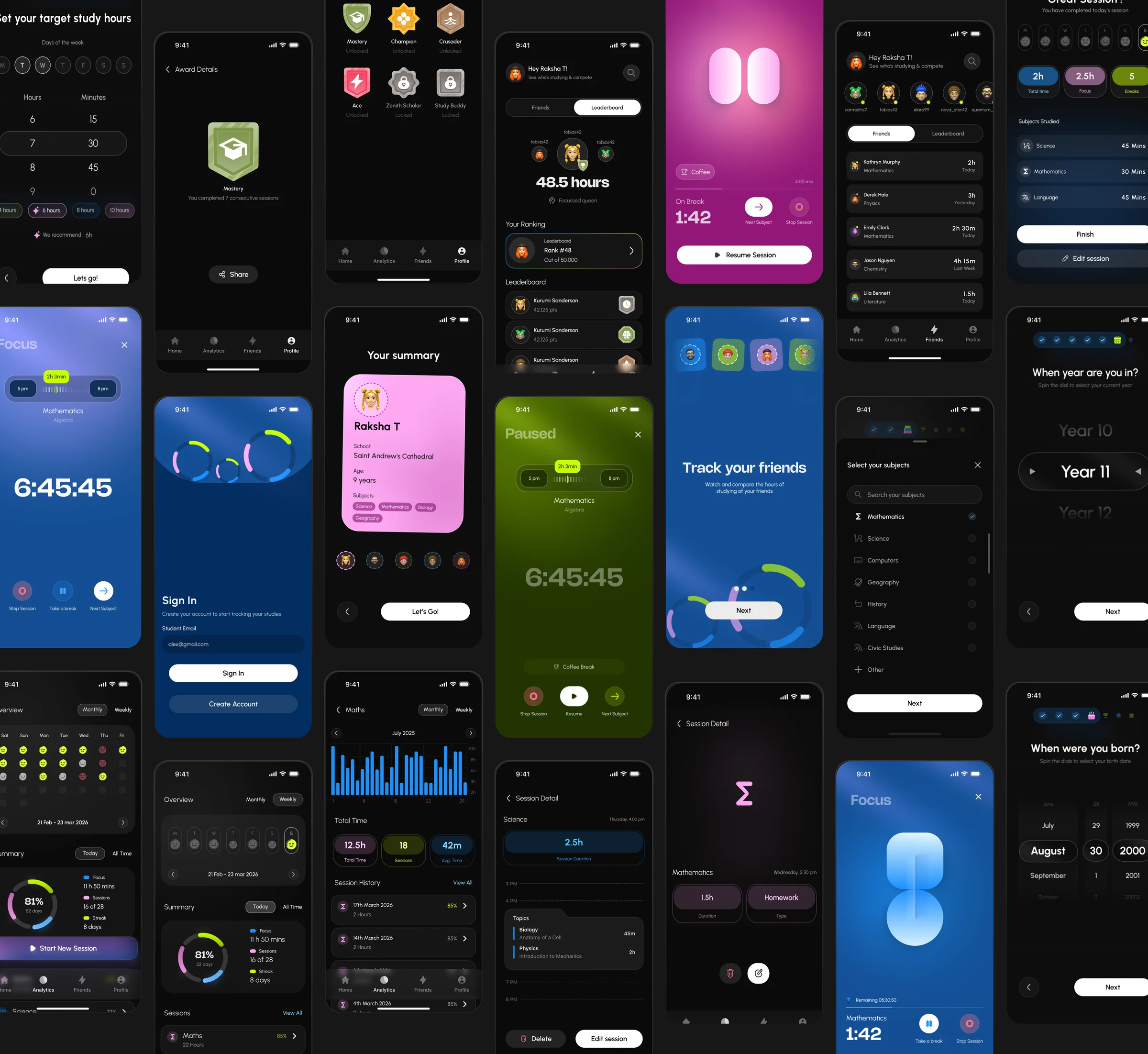
A collage of Studyloop screens showing onboarding, focus sessions, analytics, friends, awards, and session history
Selected screensThe product across onboarding, focus sessions, analytics, friends, and session history.

Studyloop is a focus app for Australian students, set to launch in mid-2026. Its goal is to help school students log their study hours, subjects, and sessions.

The UI direction aimed to create a playful yet sincere experience. Since Studyloop is a focus tool, I used rounded and circular forms. The fonts had already been chosen by the client.

Onboarding and focus sessions

The onboarding had to feel one step at a time. Since the product was designed for students, each action needed to be a quick tap and move, supported by a familiar progress bar that felt less technical.

The home screen needed to show progress immediately and let students start a new session or timer whenever they were on it. Making the timer widget sticky across every tab made sense here.
OnboardingA short walkthrough of the step-by-step setup.
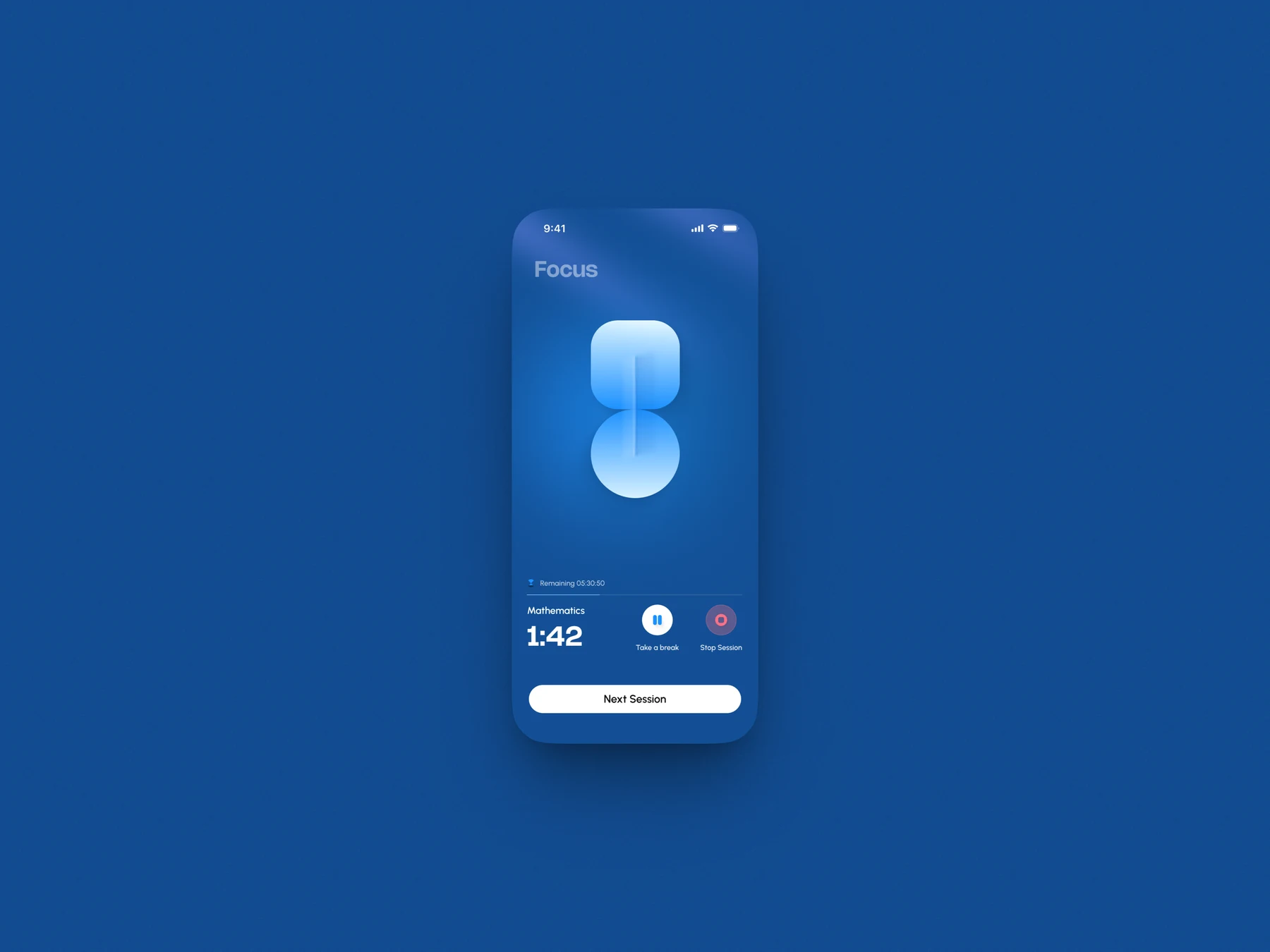
Blue Studyloop focus session screen with a timer and break controls
FocusThe active study timer.
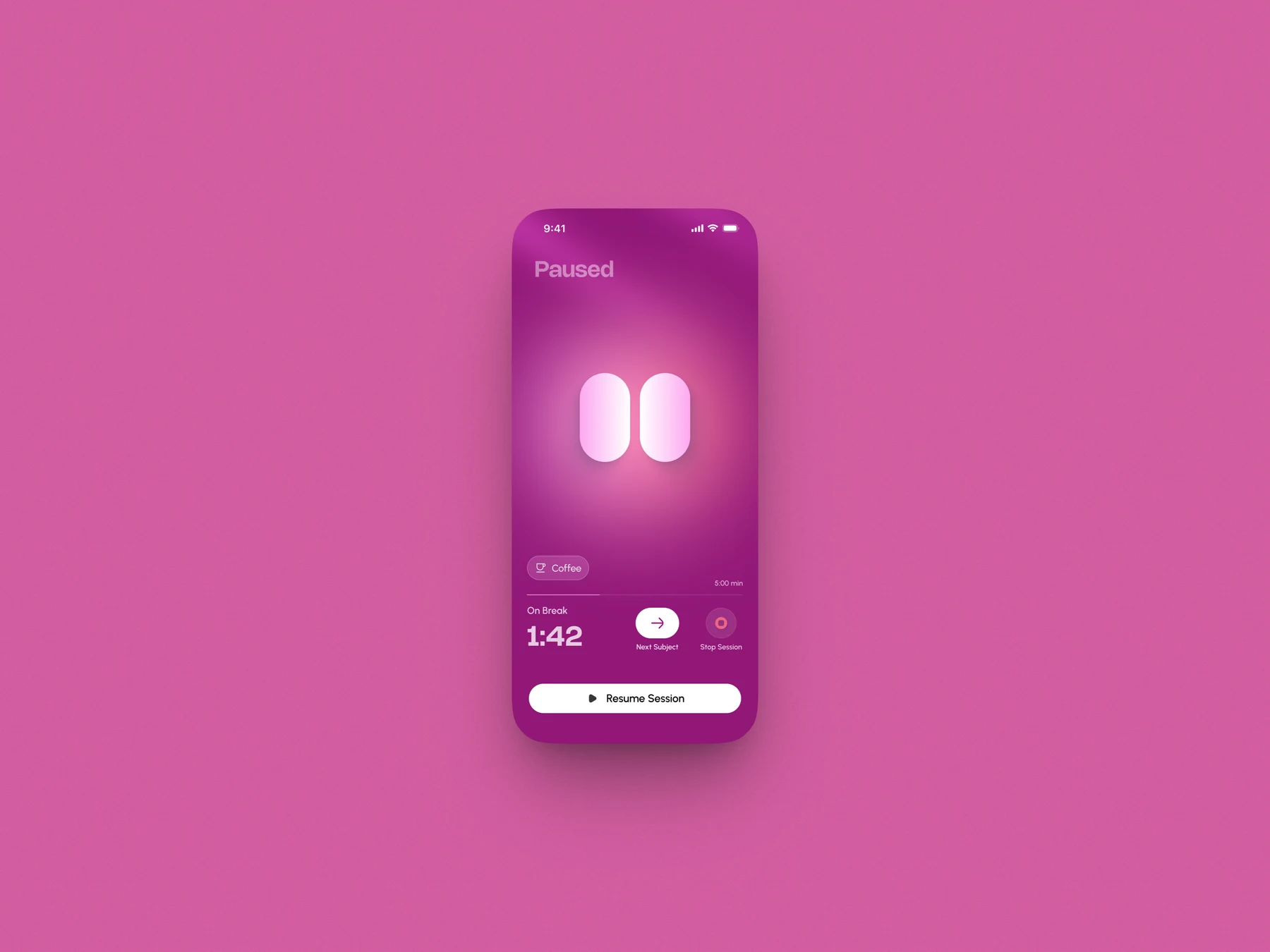
Pink Studyloop break screen with resume and next subject controls
BreakA timed pause between subjects.
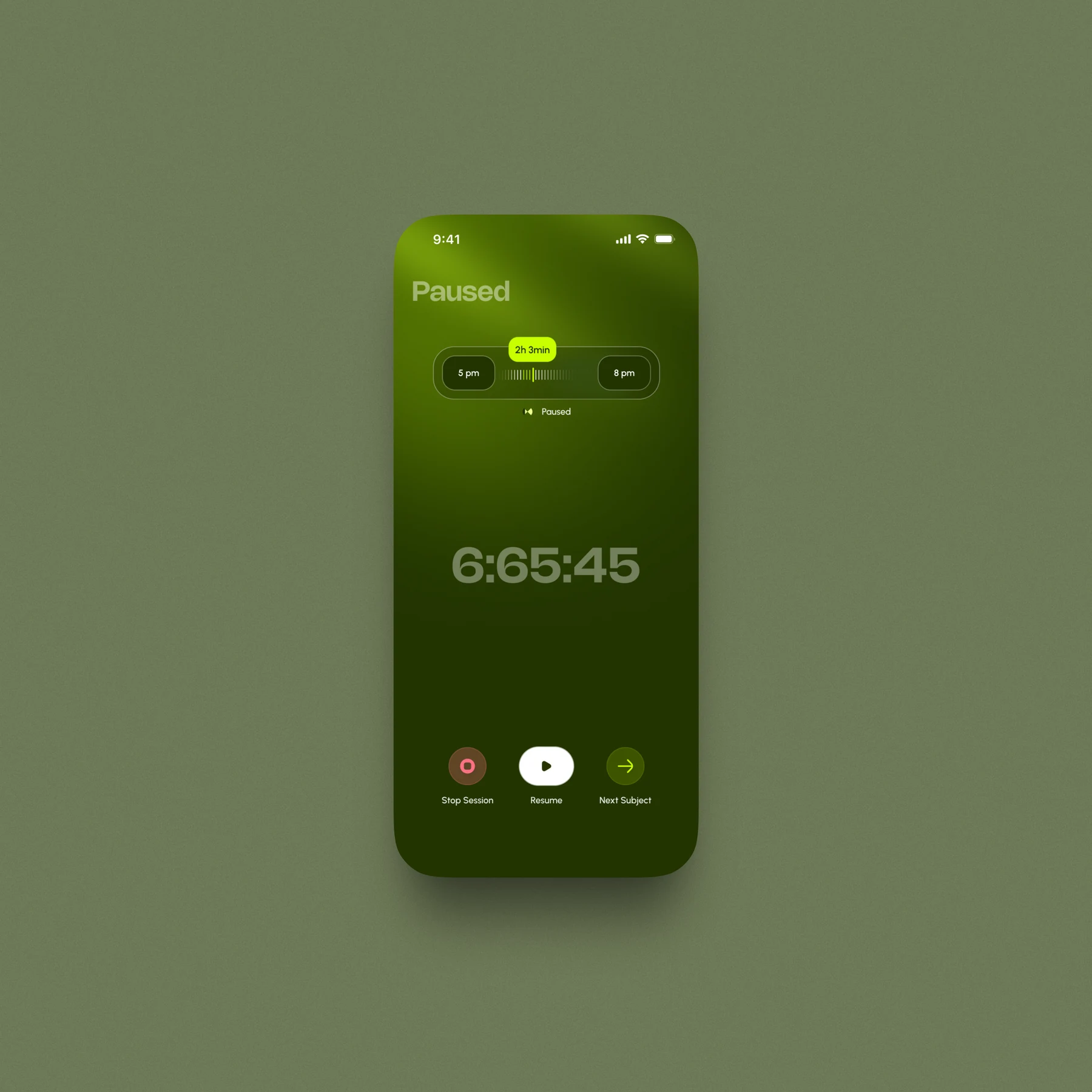
Green Studyloop paused session screen with resume and next subject controls
PausedThe session remains easy to resume.
Session durationA compact timeline for setting the start and end time.
Focus timerThe active timer and its session controls.

Progress and analytics

Common components such as streaks and weekly or monthly analytics needed to track not only regularity, but also quality.

Instead of using multiple rings like Apple Health, I combined three metrics into one ring divided into three arcs. This data visualisation felt simpler and easier to scan.
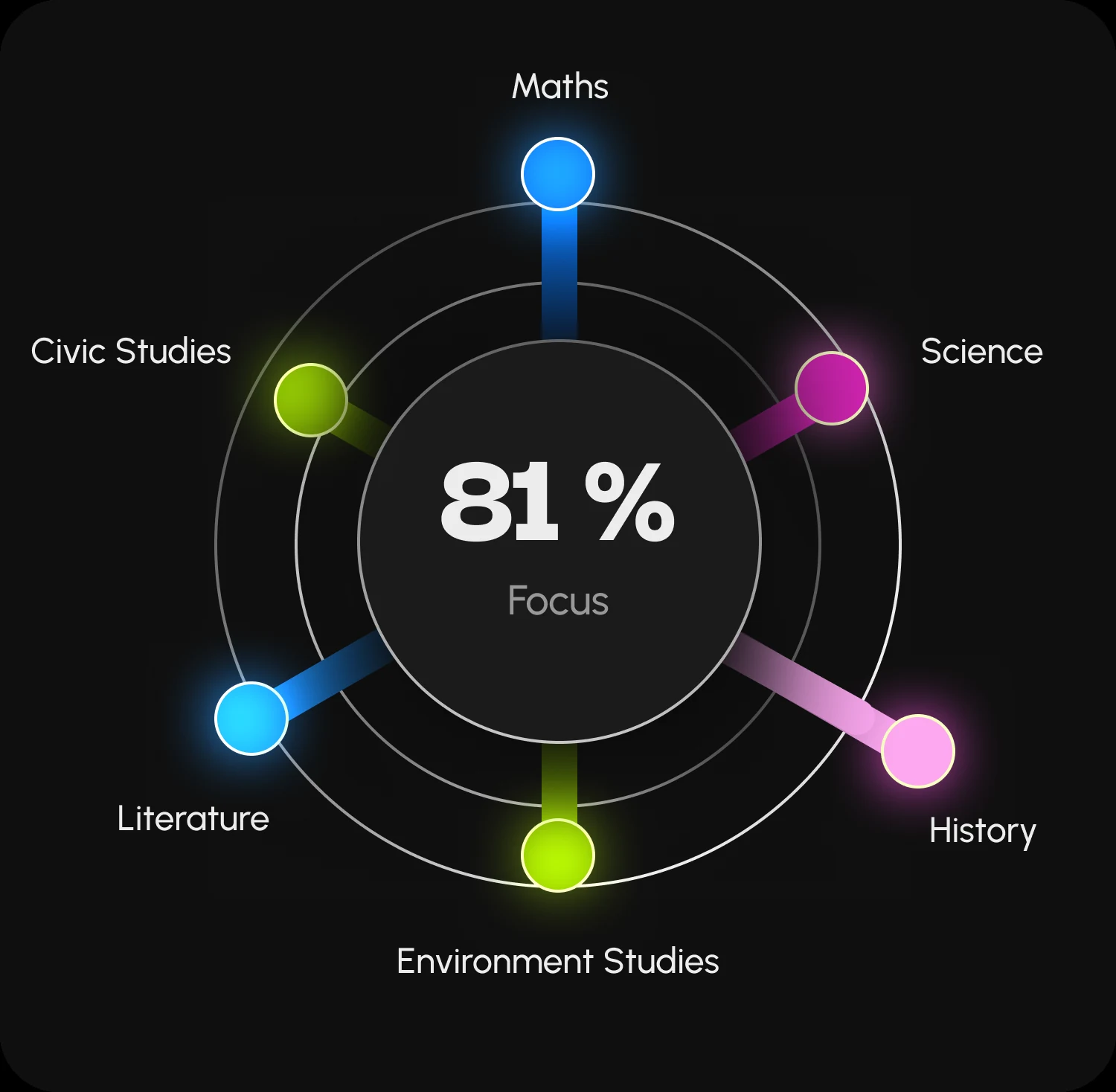
A circular Studyloop focus visualisation showing performance across six subjects
First attemptA subject-by-subject view that proved too complex.
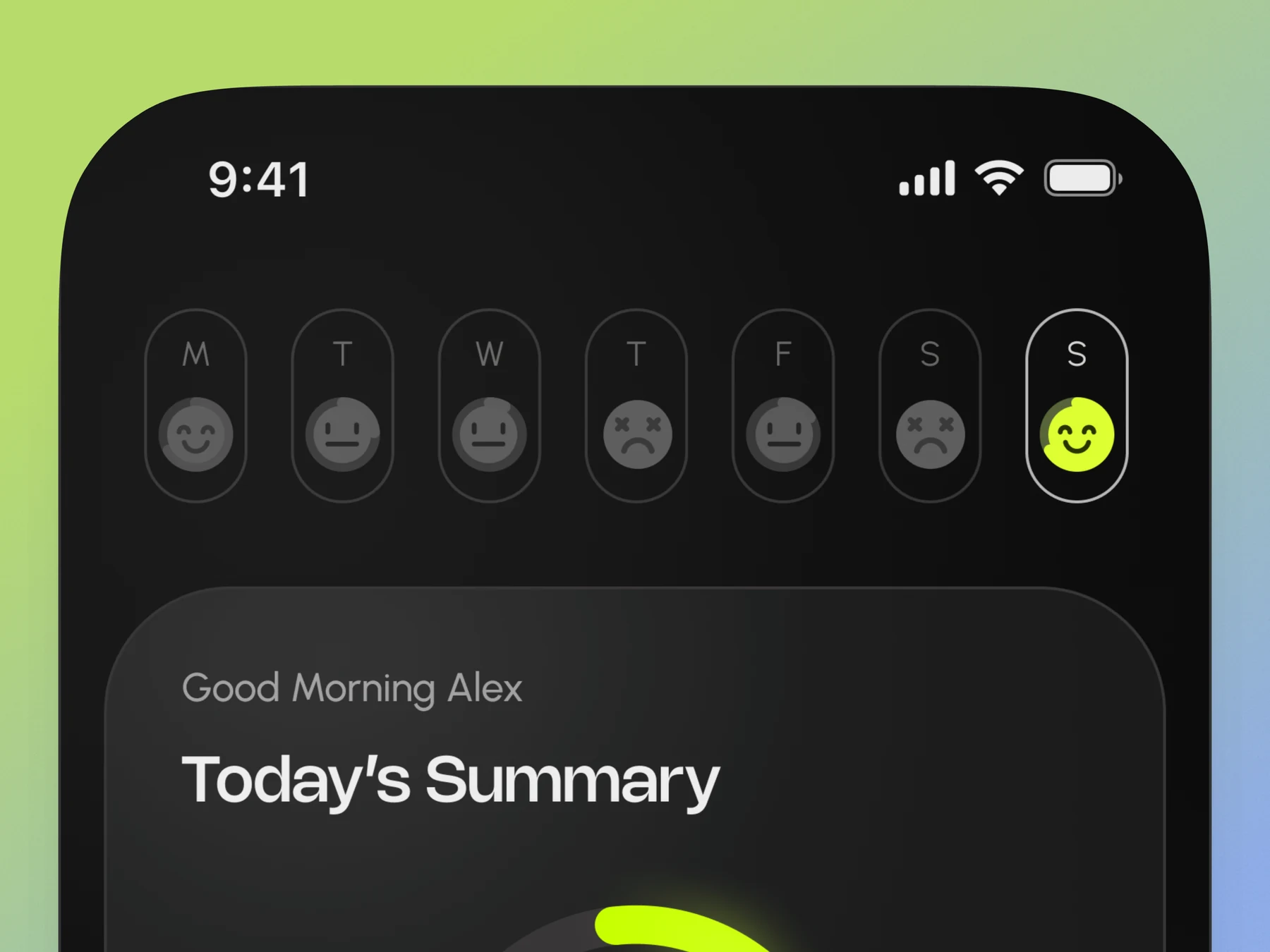
Studyloop home screen showing weekday smileys and the daily progress summary
Final versionWeekday expressions make completion quality easy to scan.

The direction on the left was rejected because it was too complex. Valuable data is more useful when it conveys more with less.

I used playful session smileys on weekdays to represent the quality of the streak and analytics. The completion percentage ranges from sad to happy, giving the data a visual expression of quality.
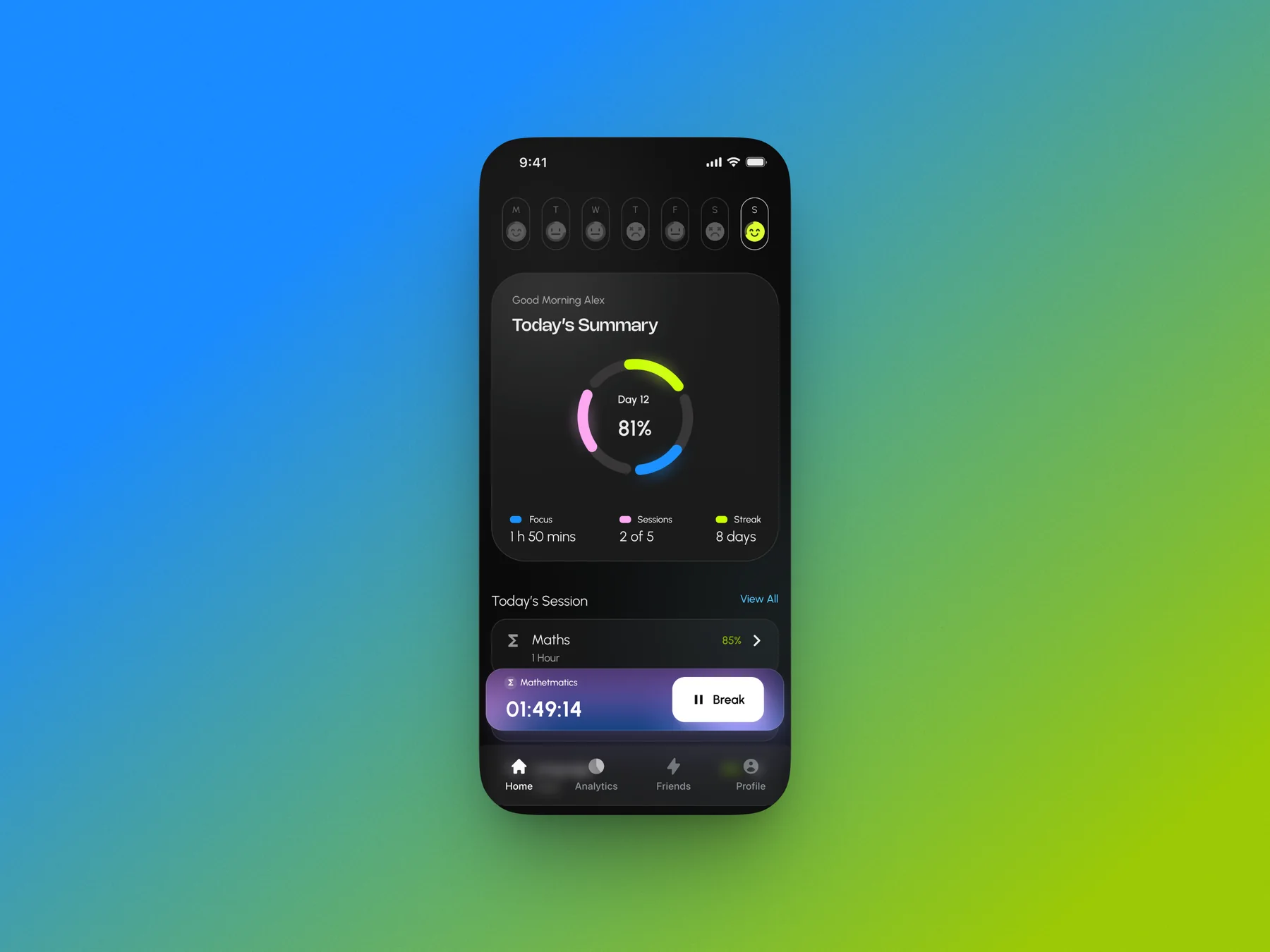
Studyloop home screen showing the daily summary, focus progress, session metrics, and an active timer
Daily progressFocus, sessions, and streaks stay visible above the active timer.

Friends and leaderboards

Another key feature was friends and leaderboards. We wanted to foster a subtle sense of friendly competition. With permission, students could see how long their friends had studied that day, which subjects they were focusing on, and who was online. This information was accessible on the home screen and in the friends section.
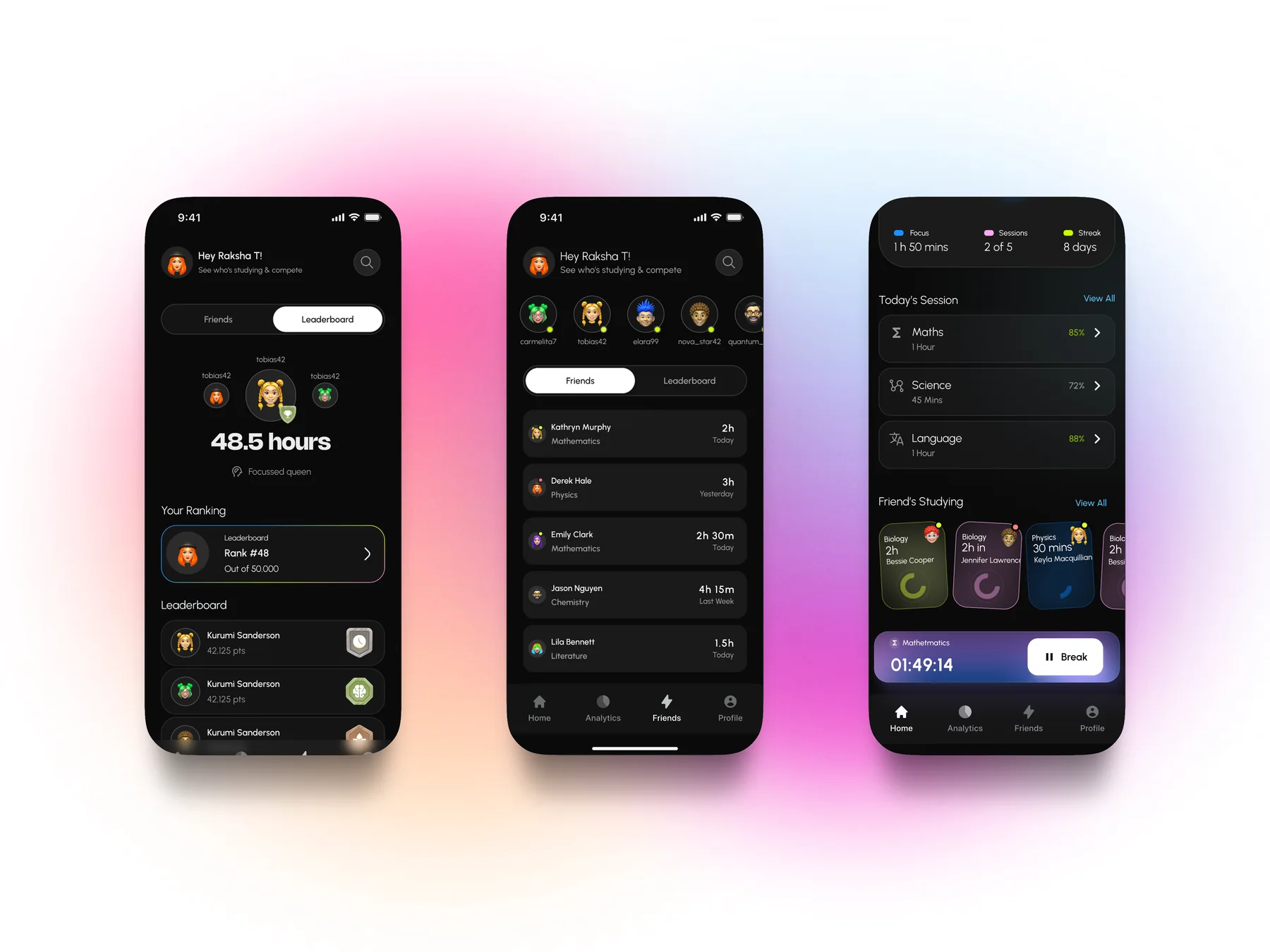
Studyloop leaderboard, friends list, and home screens
Friends screensSocial progress appears in the friends section and on the home screen.

Session management

Secondary features included editing sessions, manually adding new ones or deleting old ones, viewing and sharing session history, and adding new subjects and breaks.
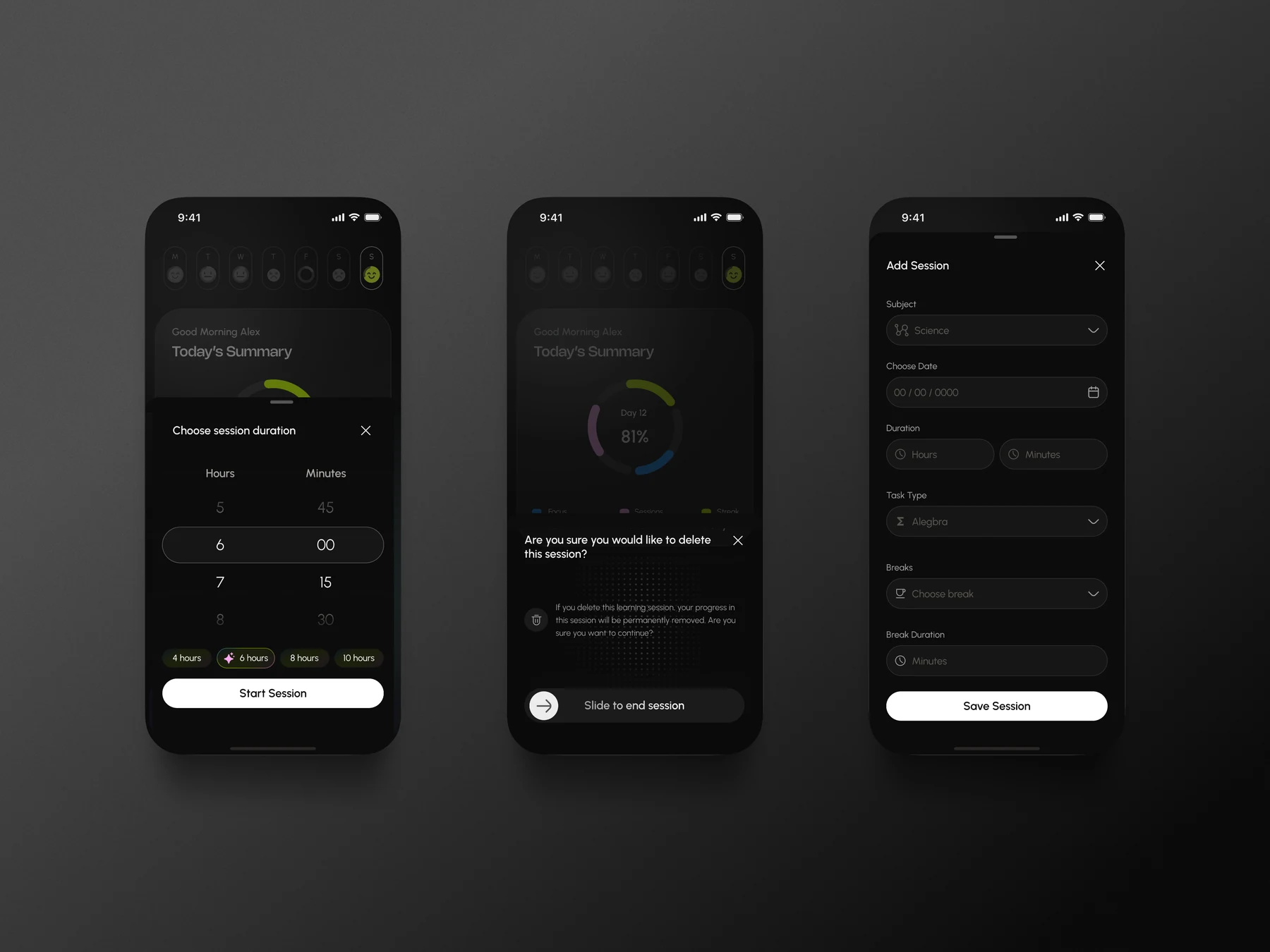
Three Studyloop screens for choosing a session duration, deleting a session, and adding a session
Session controlsDuration, deletion, and manual session entry.

Project timeline

We completed the entire app in a three-week sprint, including two weeks of design and one week of reviews and feedback. Studyloop is set to launch in mid-2026. This was another fun addition to my roster of iOS apps.

Thanks to Yahya and Mazen for bringing the project to me.